develop free website
MST Sim

MilAir Sim Training

REALISTIC DESKTOP SIMULATION EXPERIENCE FOR GENERAL AVIATION & COMMERCIAL AIRCRAFT

Looking for a versatile familiarization training tool that can help you master both analog and glass cockpit procedures? Look no further than MilAir SIM TRAINING.

Explore all features | Private Pilot | Instrument Flying | Reference Documents |

MST Services

CLIMB INTO THE COCKPIT WITH THE KNOWLEDGE YOU NEED
Imagine taking the controls for the first time and actually knowing what to do. Surprise your instructor with all the knowledge, procedures, and safety concepts you’ve already learned. This means you save money & earn your pilot’s license/rating quicker.
MST
MST Design

Sim scenarios that push student pilots beyond their comfort zones and train them more effectively. MST can incorporate training exercises with a myriad of variables, in different aircraft types.

MST
MST Economy

MST sys­tem is rec­om­mended for students who want to practice pro­ce­dural familiarization train­ing at an economical cost. It is also ideal for intro­duc­ing non-instrument stu­dents to basic air­craft oper­at­ing pro­ce­dures.

MST
MST Program

'Perform’ all your mistakes in Sim Trainer before you step into the actual aircraft. Sim Trainer is ready to challenge you with any scenario; including severe Weather conditions, Instrument failures, Aircraft defects, etc.

What is MST?

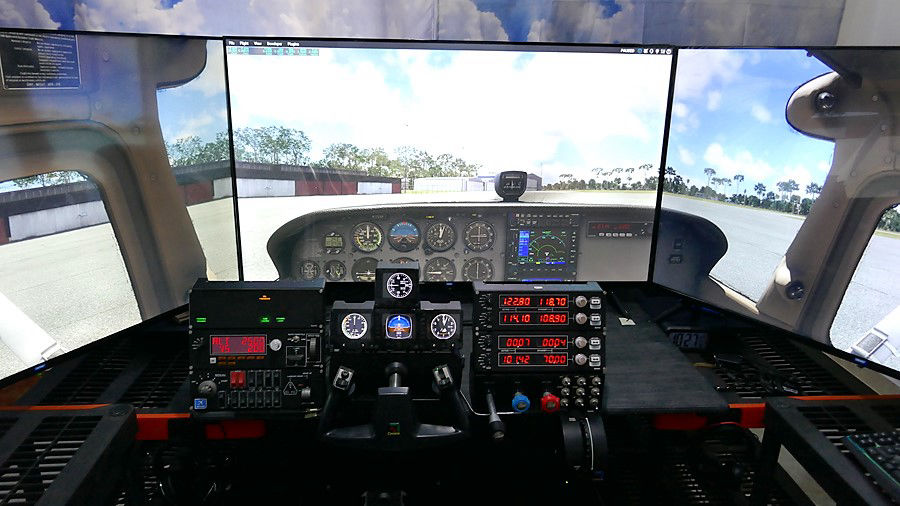
When we set out to establish MilAir Sim Trainer (MST), our first goal was to build a flight simulation system that provided training value, at a price every student could afford. Whether you are a student pilot looking to build up your skills, or an experienced aviator seeking to improve your instrument flying skills, this innovative simulation system is designed to deliver the training you need. Featuring realistic, replicated instruments & an integrated panel and HD visual system, MST provides an unparalleled training experience. It is the perfect platform for anyone aspiring to master the art of VFR or IFR flying with confidence.

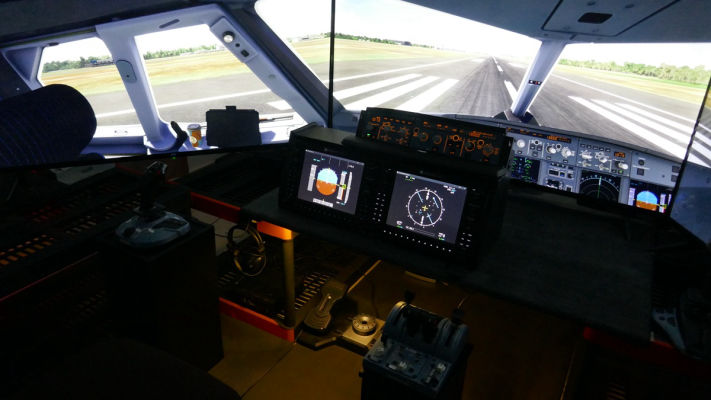
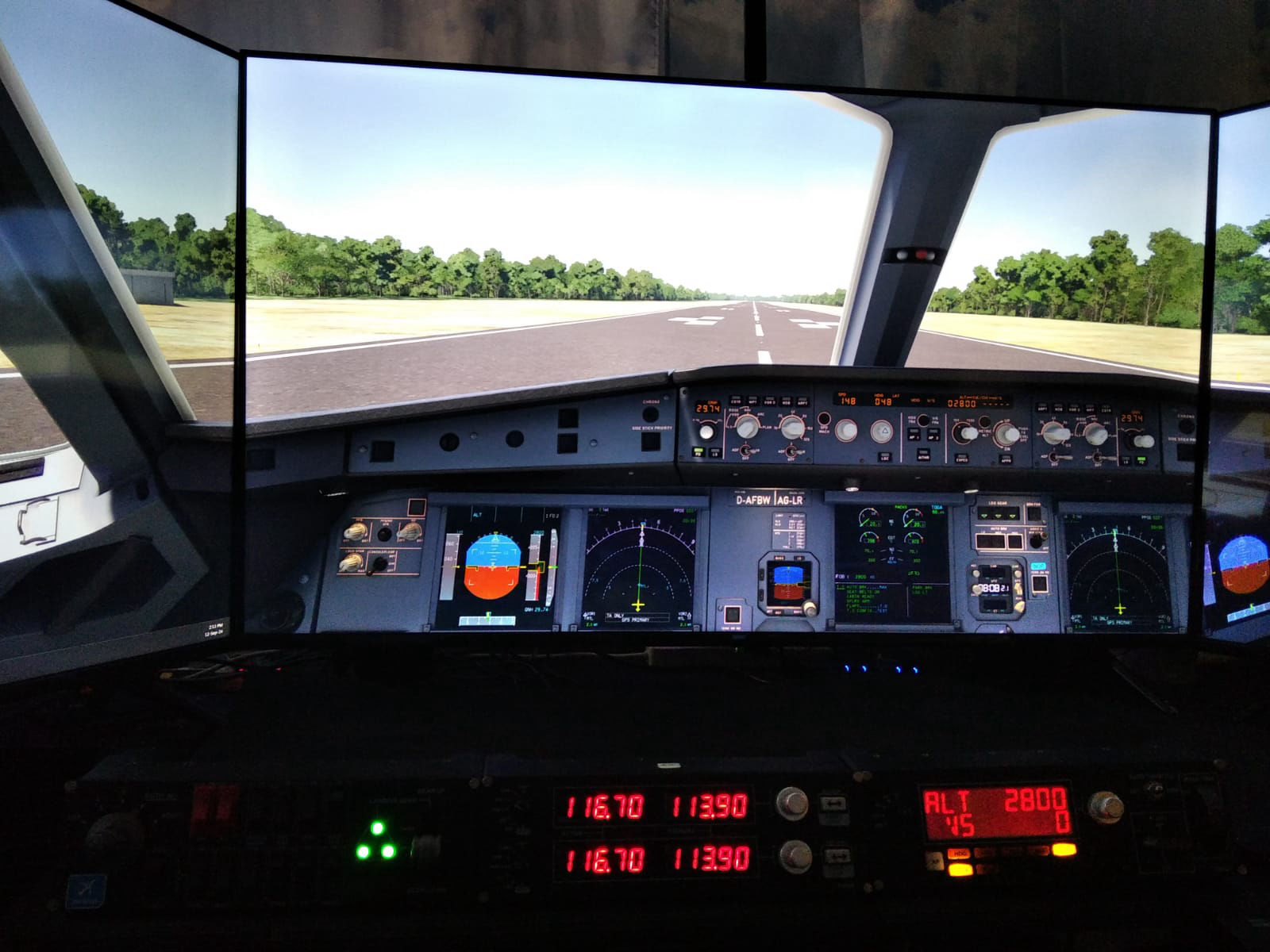
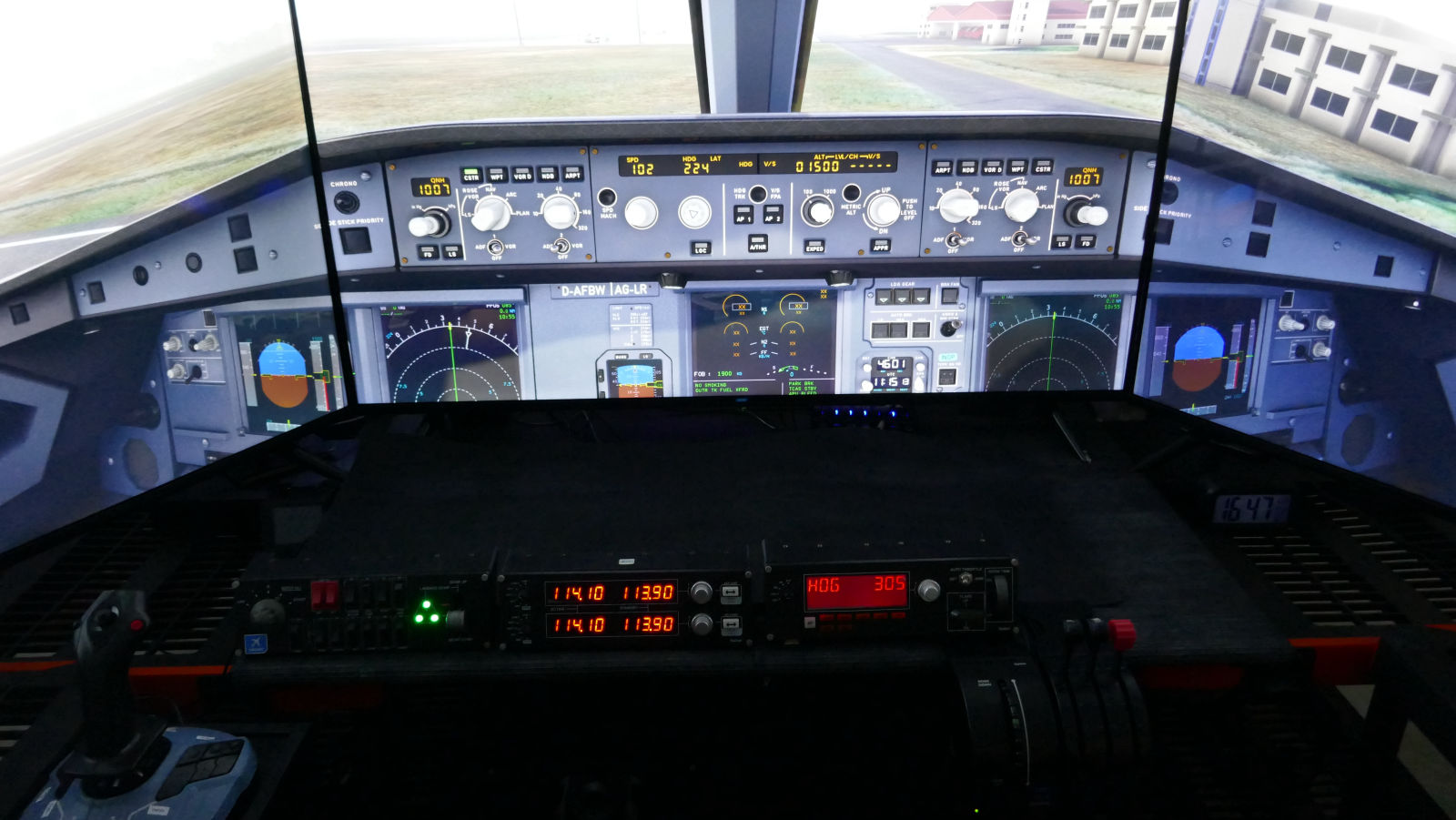
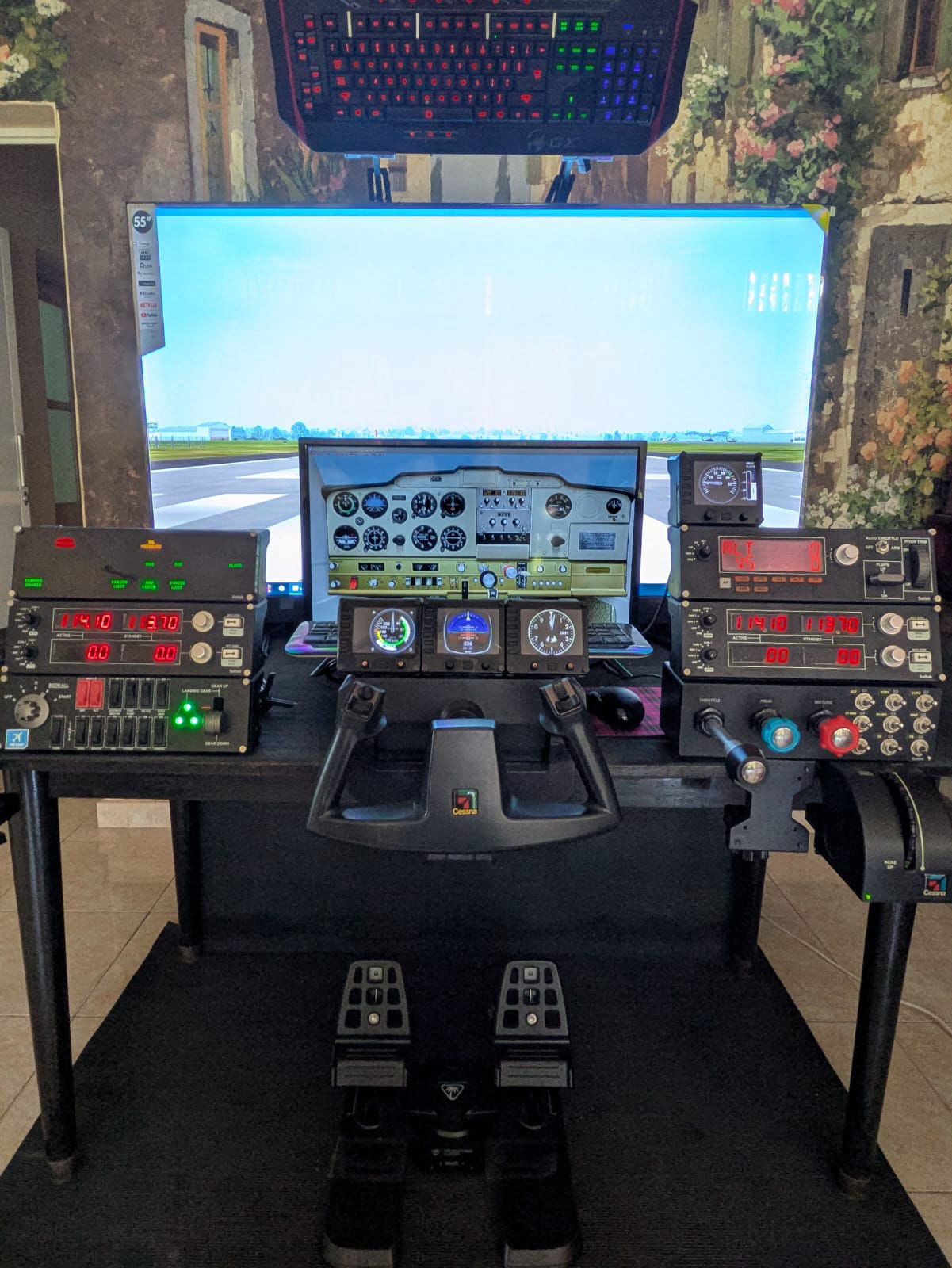
The MilAir Sim Trainer is designed to replicate real-world aircraft features, allowing users to easily recognize and operate simulator settings with confidence. Modeled after popular GA training aircraft and the A320, the Sim Training programs offer a cost-effective alternative to traditional flight training. Every detail of the cockpit is reproduced to mirror the original aircraft’s dimensions/layout, ensuring an authentic training environment. Equipped with panels and instruments crafted to match the originals, and powered by advanced components integrated into personal computers, the MST stands out as the ultimate, affordable training solution for aspiring pilots.

Simulator Platform

The MST simulator platform is specifically designed to help students recognize and understand the functions of all instruments in a fully equipped Analogue or Glass GA/A320 aircraft cockpit. It offers a comprehensive and immersive experience, covering every aspect of flying single or twin-engine propeller and jet aircraft. Additionally, the simulator features highly realistic scenery, encompassing all domestic airports in Sri Lanka as well as neighboring countries.

Cockpit Components

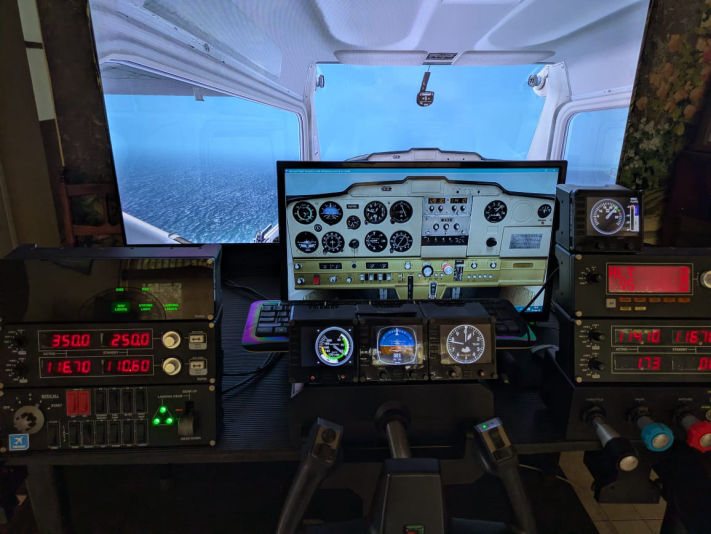
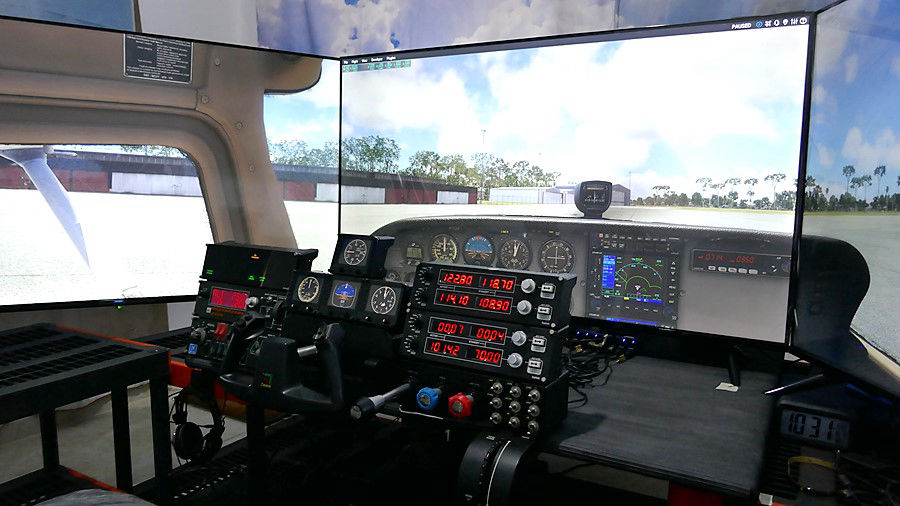
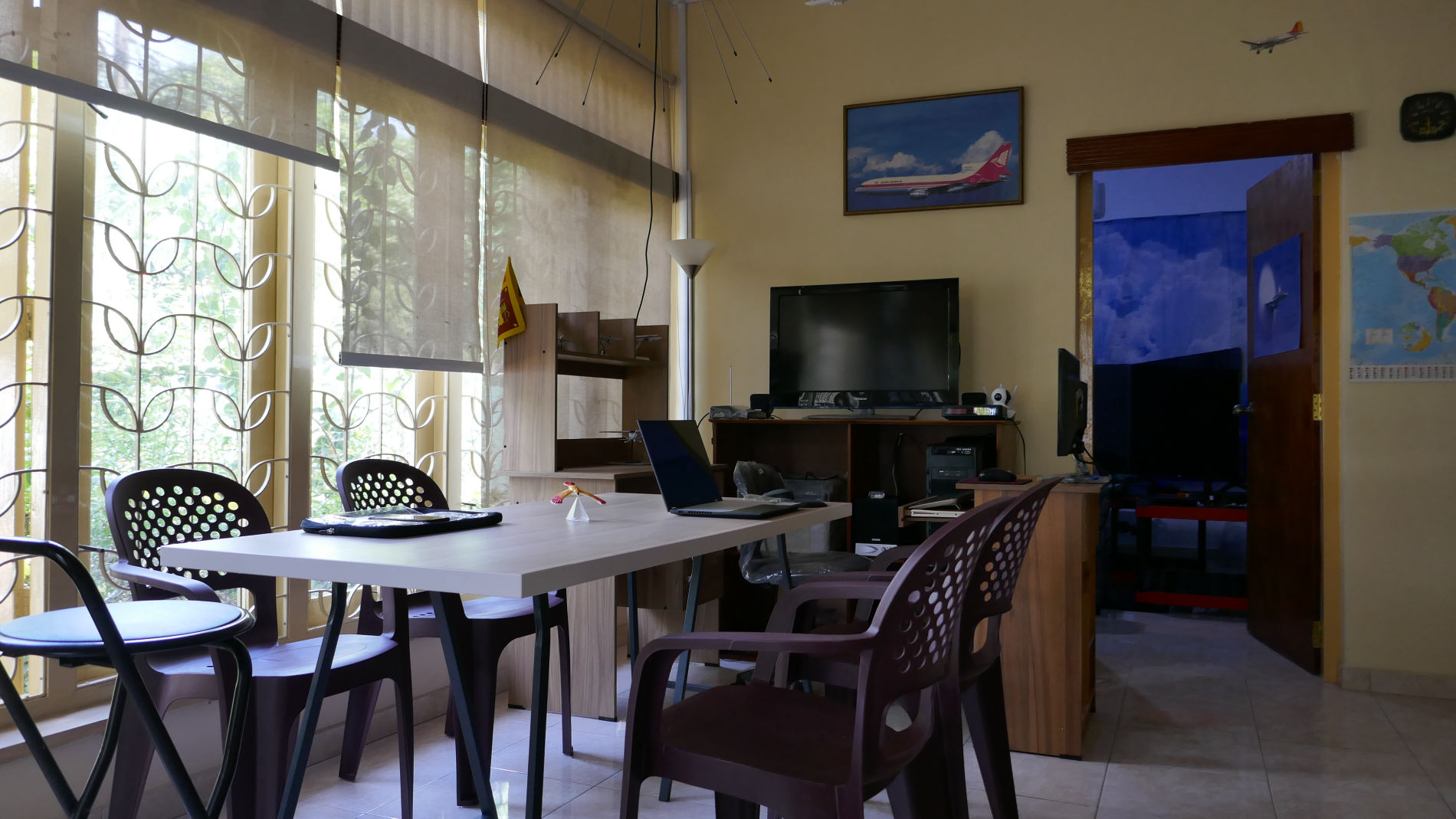
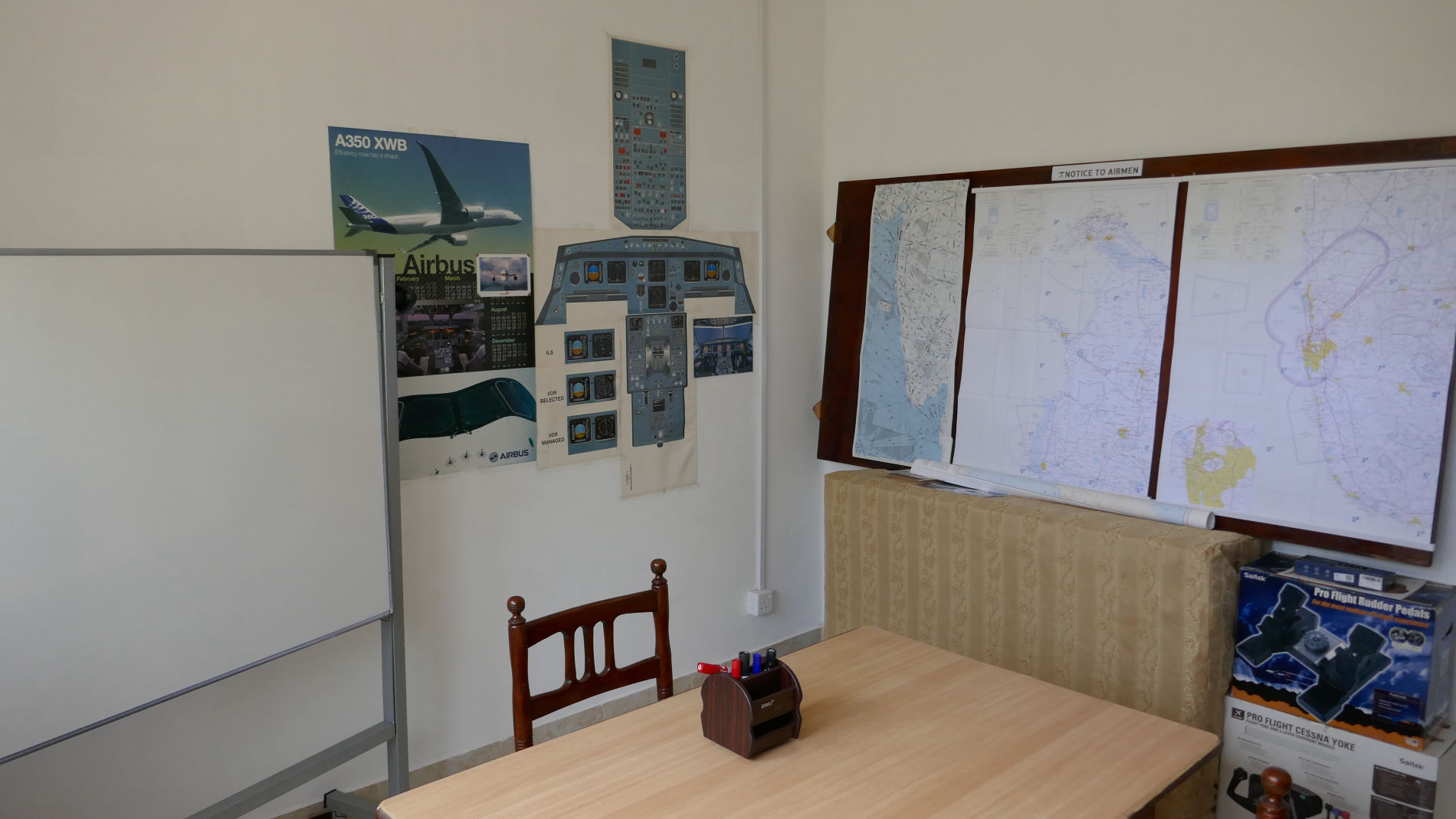
The MST is designed to train students how to use aircraft cockpit components, and to familiarize with the functions of instruments present in a fully analog/digital instruments equipped GA/A320 aircraft and to experience all aspects of flying single/multi engine aircraft. Sim Trainer with 165in./180deg. visual system is housed in an airconditioned environment, & replicates physical GA/A320 aircraft cockpit.

Simulator Software

The Sim Trainer is controlled via leading flight simulator software. It has SDKs available to interface flight controls using proprietary flight simulation software. Please contact us to discuss your training requirements. Your Sim training familiarization sessions are prepared using custom aircraft/airfield/weather settings.

What you get in MST

MST flight simulator is a practical classroom, designed for skill building through varied and challenging training exercises.

Scenario-based training is at the heart of MST, with every Sim Training session recordable for later reflection and evaluation.

Enhancing the efficiency of your learning while achieving better control over flight training costs.

MST users can access all airports across the globe, including every airport in Sri Lanka, along with any weather scenarios.

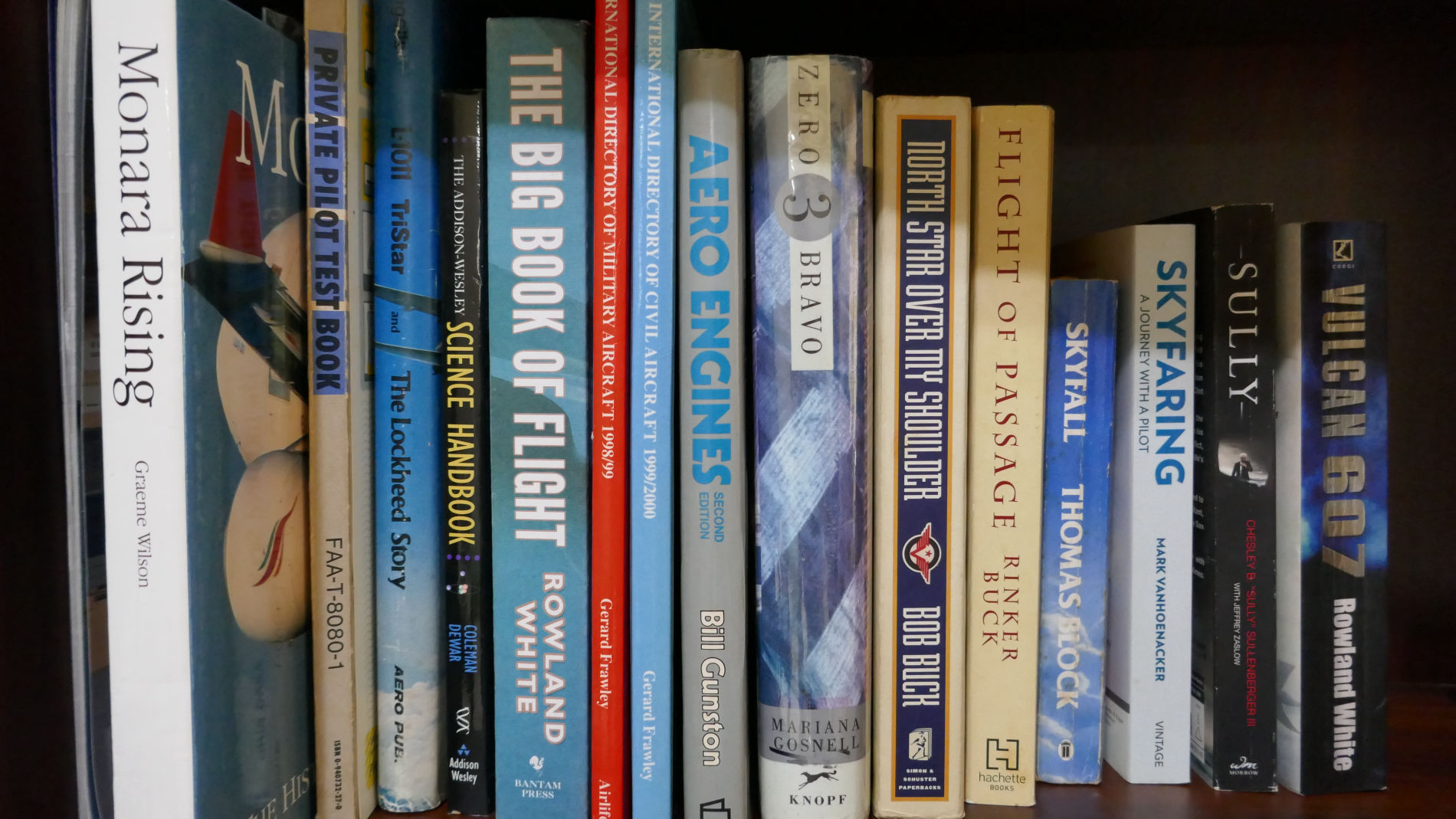
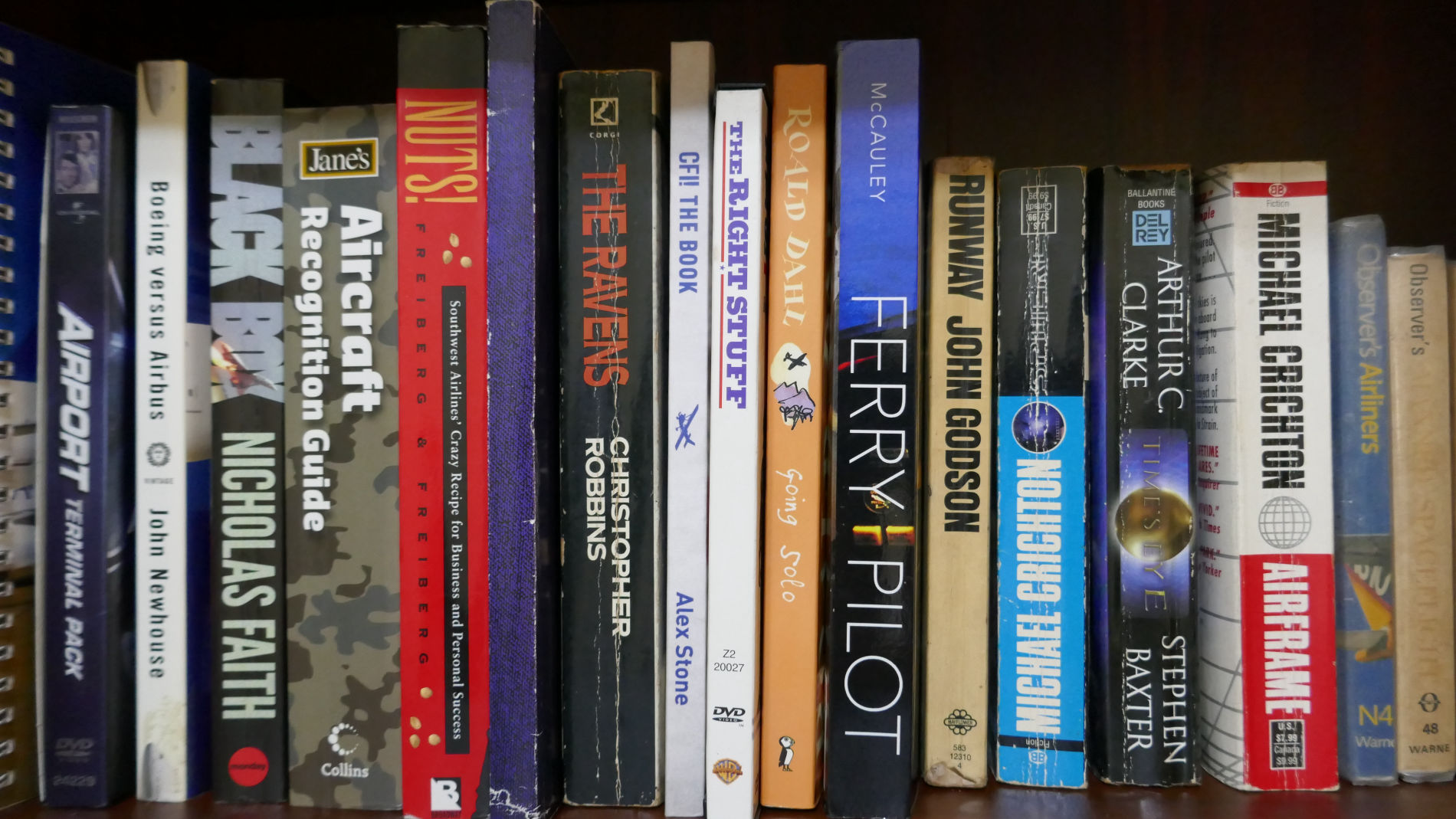
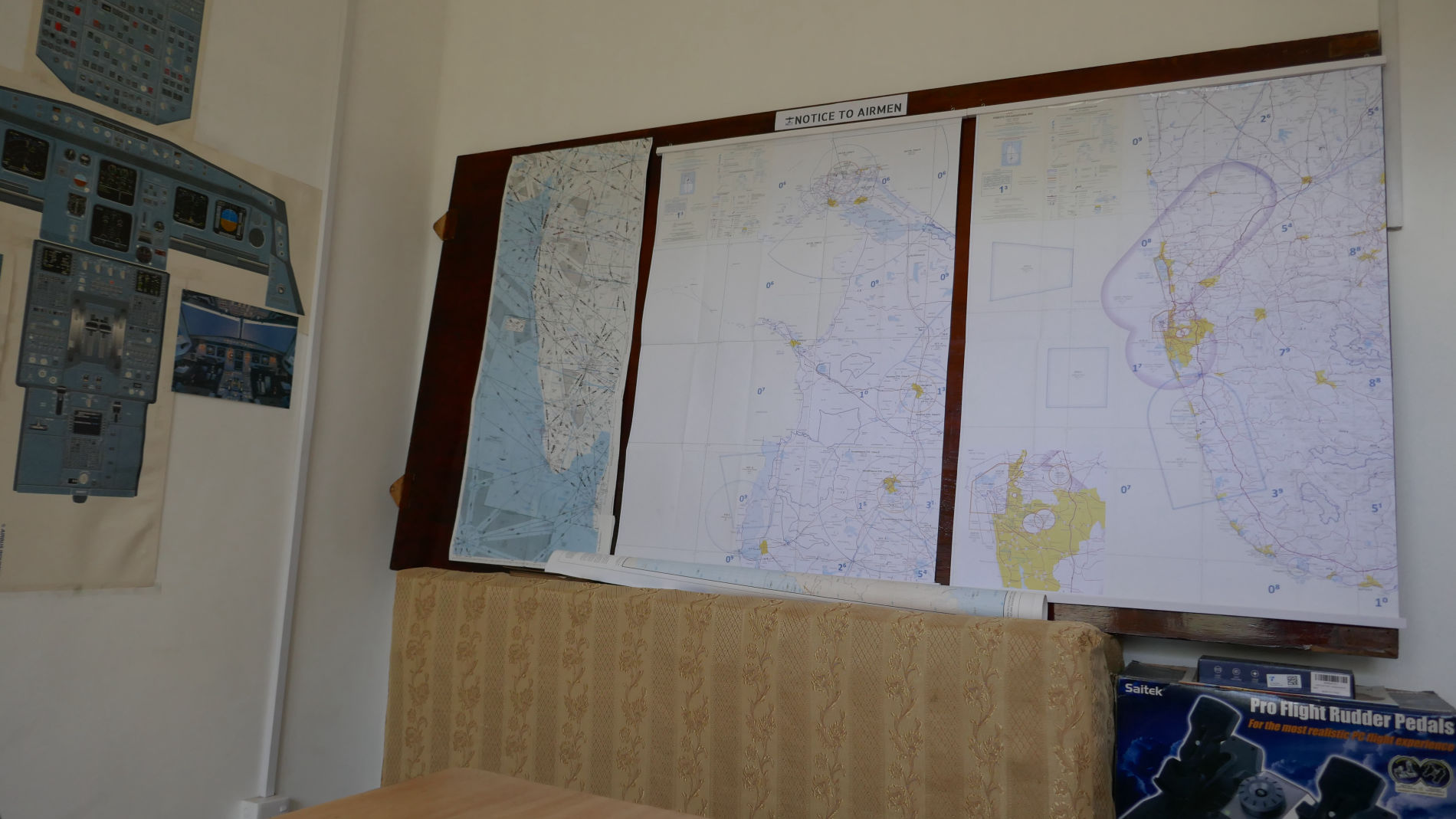
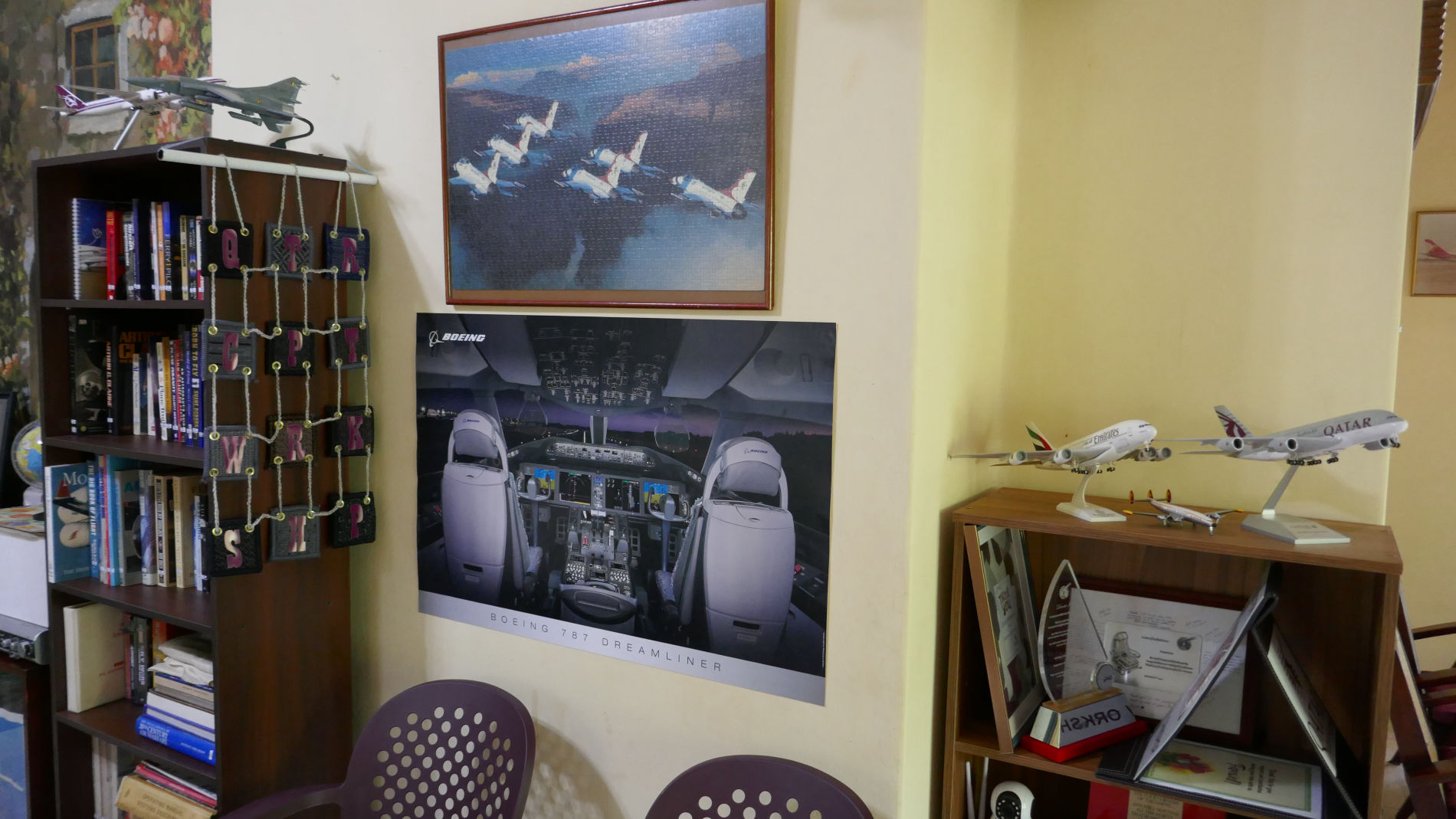
To foster academic enrichment, you have access to a diverse repository of aviation-related periodicals, books, and videos.

SIM TRAINER FACILITIES

MST

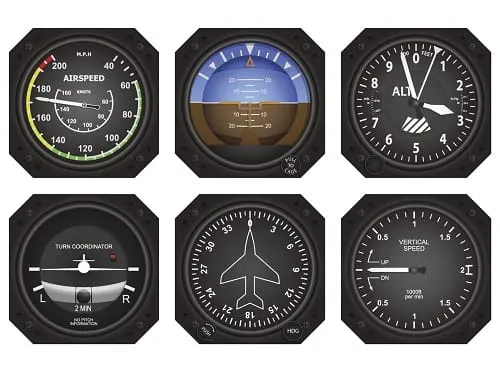
Instruments Six Pack

ASI AHI ALT TBI HDG VSI

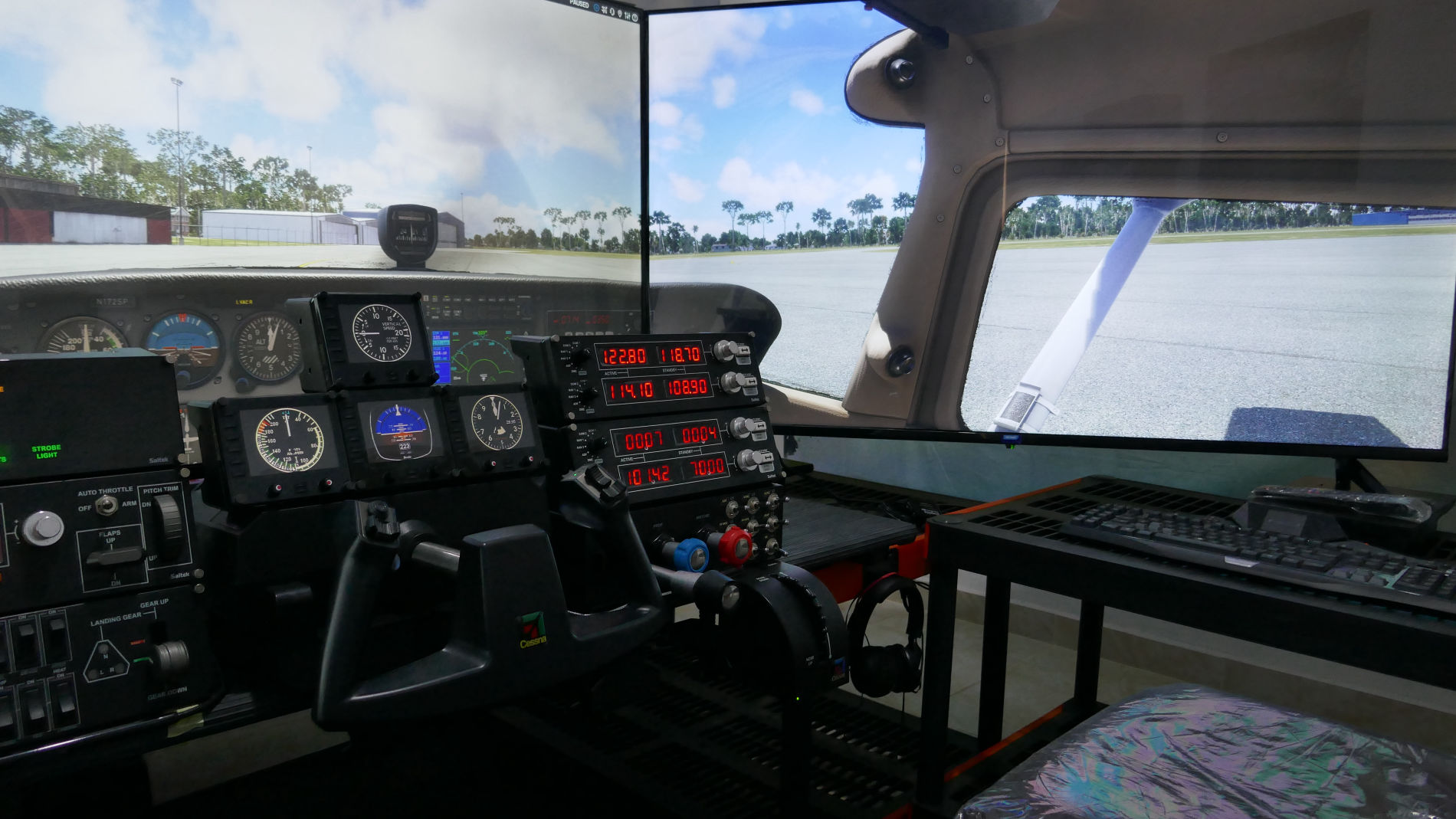
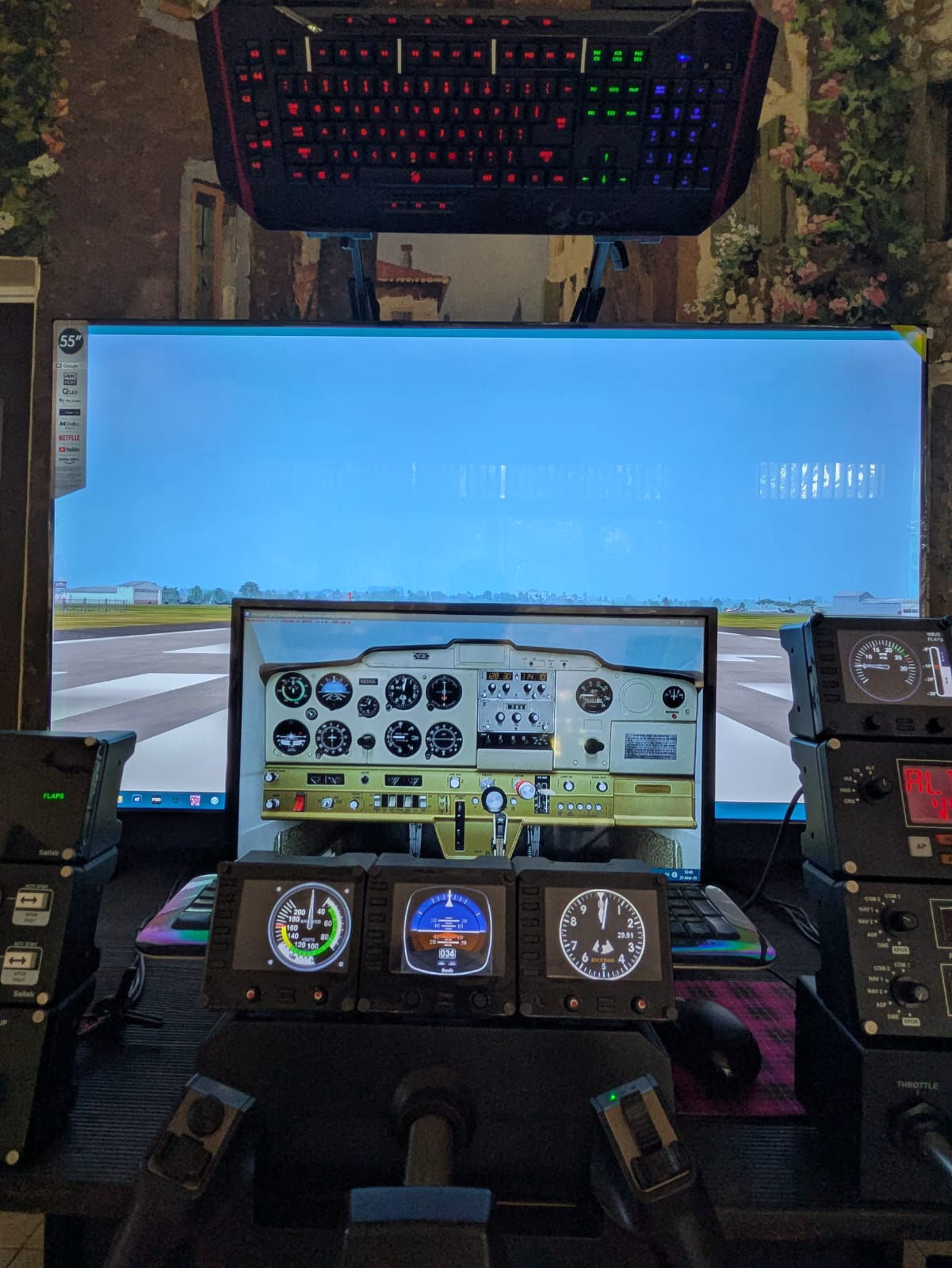
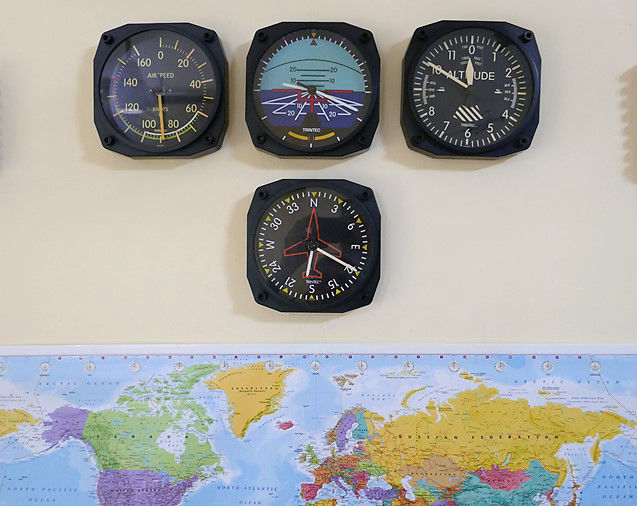
Detailed original General Aviation Airspeed Indicator, Attitude Indicator, Altimeter, Turn & Bank Indicator, Heading indicator, and Vertical Speed Indicator.

MST


Navigation Instruments


VOR1/2 ADF HSI GPS ILS

Accurate VHF Omni Receiver 1 & 2, ADF Automatic Direction Finder, DME Distance Measuring Equipment, HSI Horizontal Situation Indicator, GPS Positioning System, ILS Landing System, Magnetic Direction Indicator, etc.

MST

Flight Controls

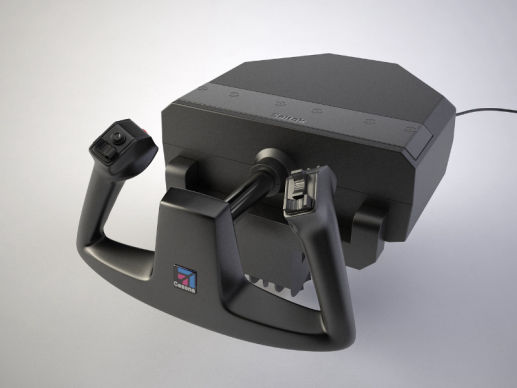
Dual Yokes, Rudder padels, Trim, Active Feedback

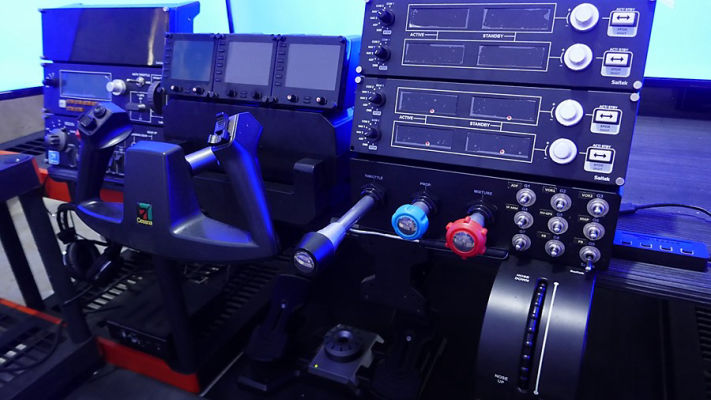
Physical Cessna yoke system, Flaps lever, Trim wheel, etc. Flight sim tactile hardware system that reproduces immersive, accurate, and powerful flight effects feedback through the cockpit seat. It lets you feel turbulence, landings, & airframe vibration.

MST

Engine Controls

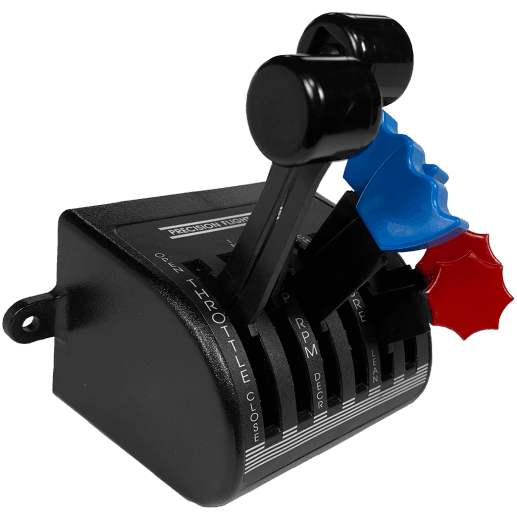
TPM TAC FFI EGT OTP

High-quality hardware Throttle, Propeller, Mixture controls, detailed engine instruments, including Tachometer, Fuel Indicator, EGT/Fuel Flow Indicator, Oil Temperature & Pressure, Starter Switch, Magnetos, etc.

MST


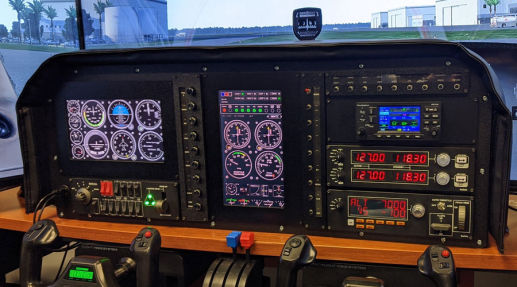
G1000 Glass Cockpit 


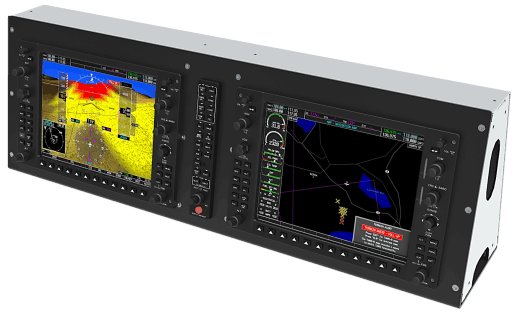
PFD MFD

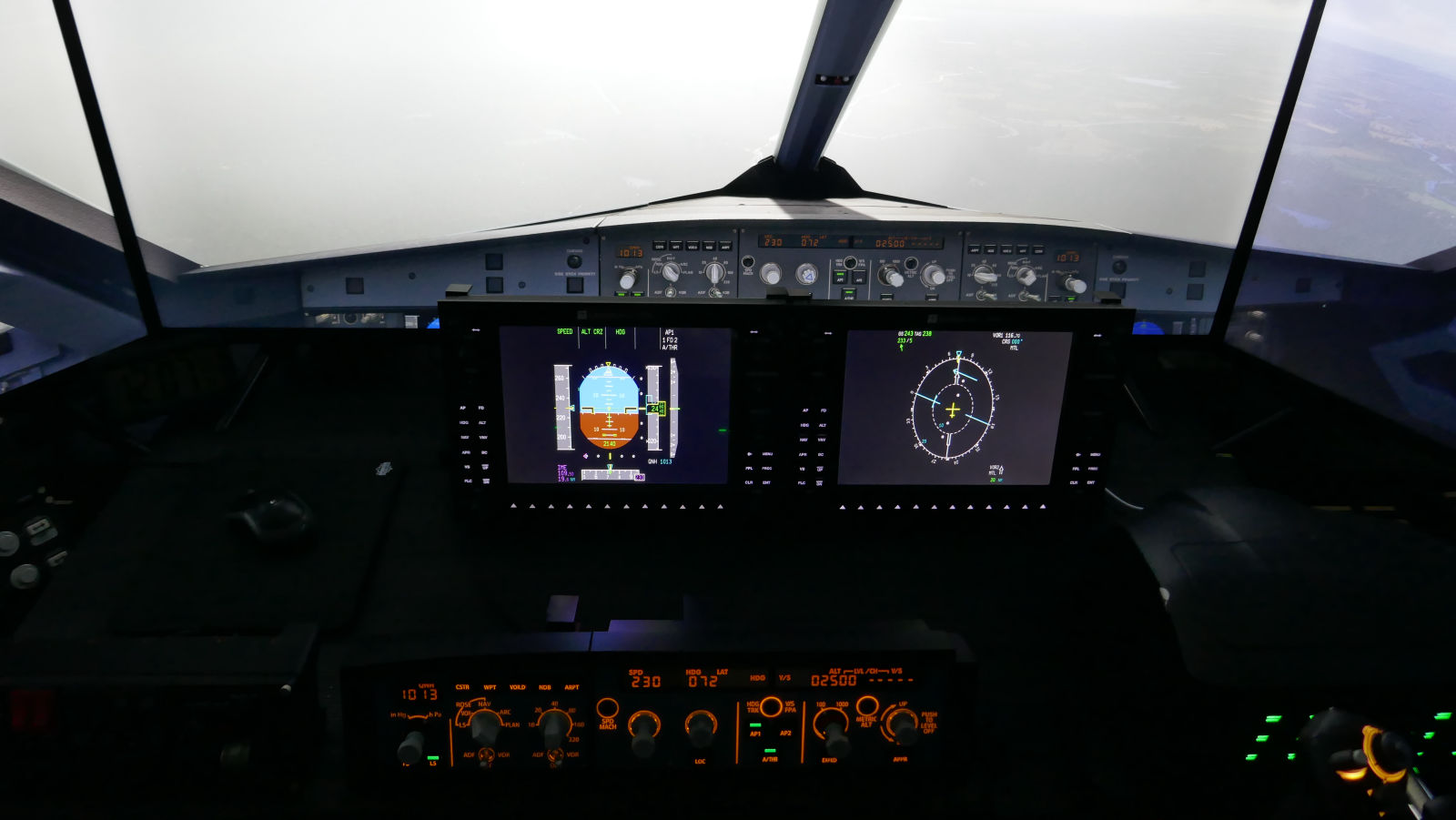
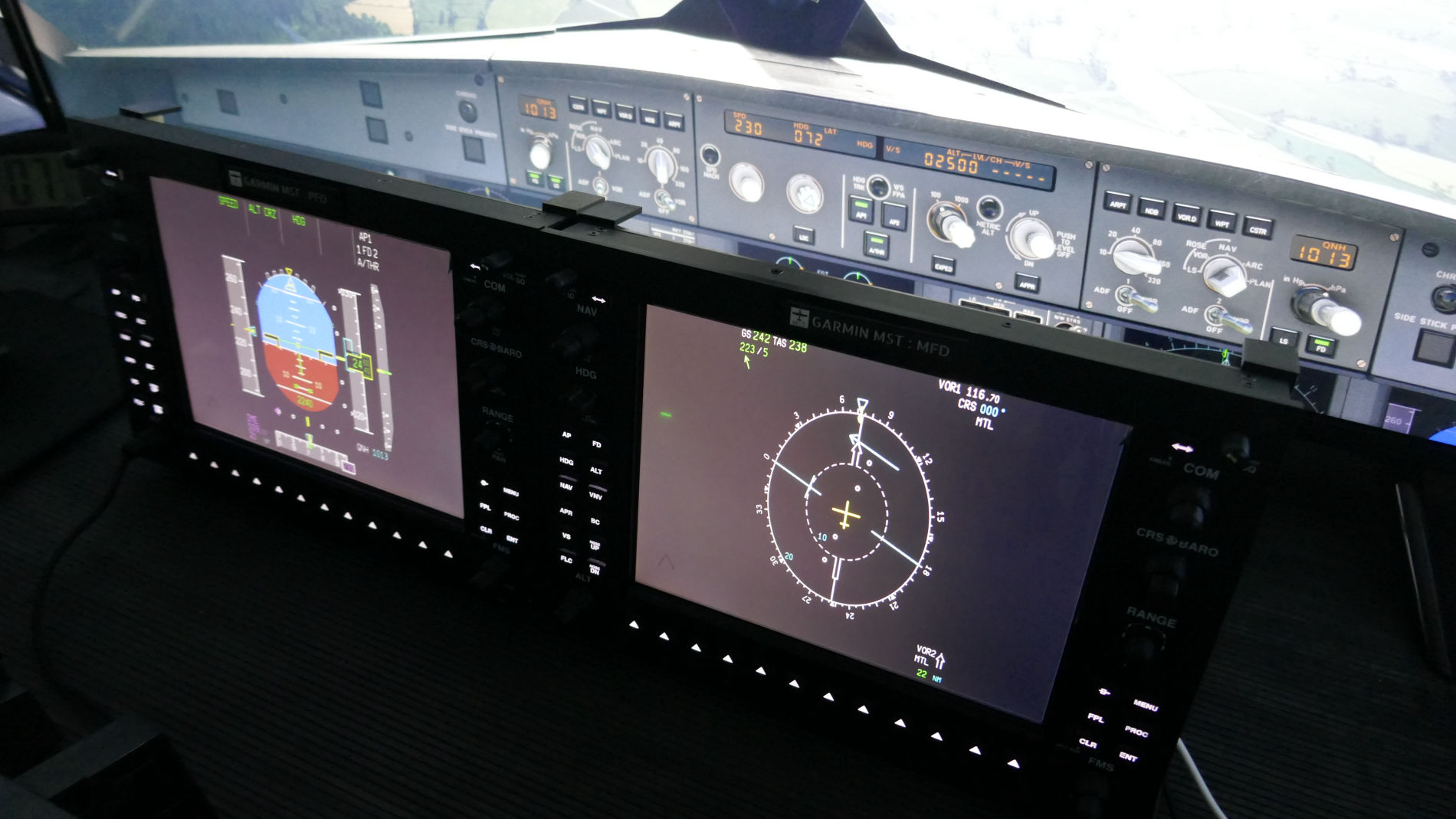
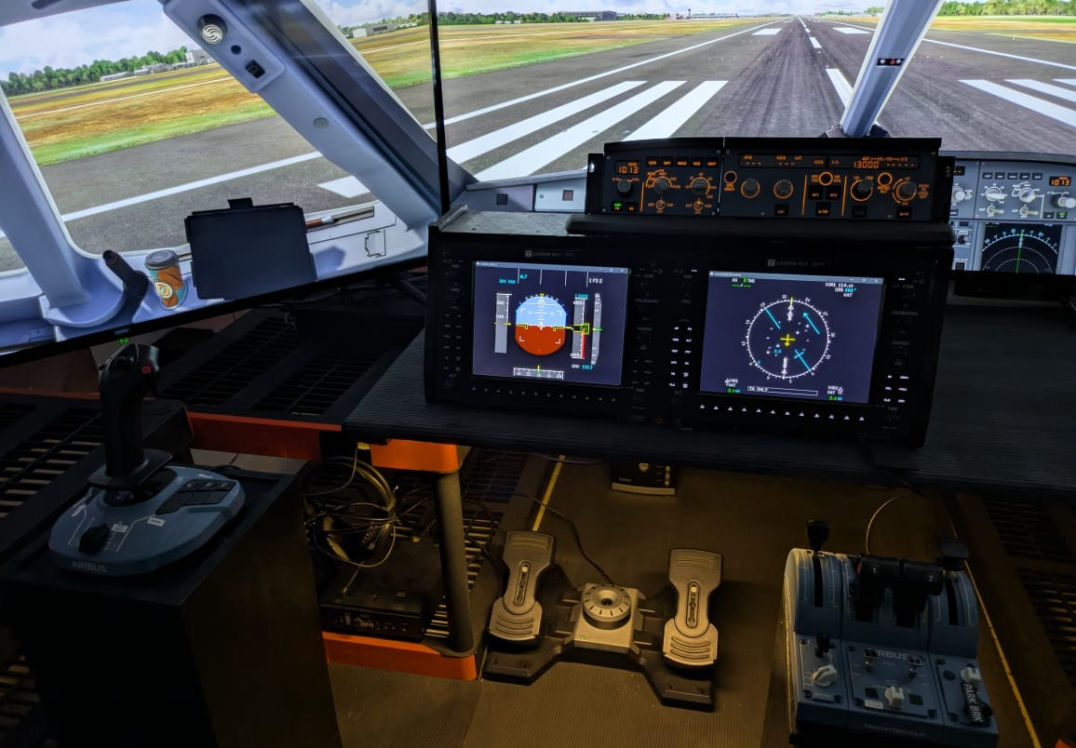
PFD & MFD hardware is a full-scale replica of the Garmin G1000 Integrated Flight Instrument system. It supports a multitude of simulation software products and defines a new standard for G1000 glass cockpit training. MST proudly introduces Sri Lanka's first glass cockpit experience, open to aspiring pilots and enthusiasts alike. 

Mobirise


Diversified Aircraft Controls


NAV COM LGT CBP

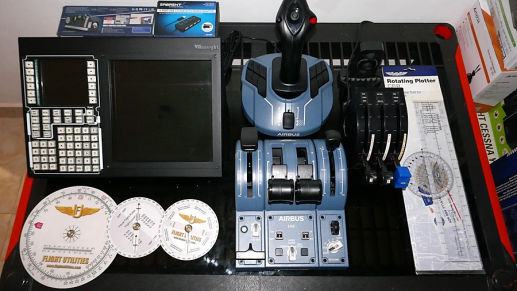
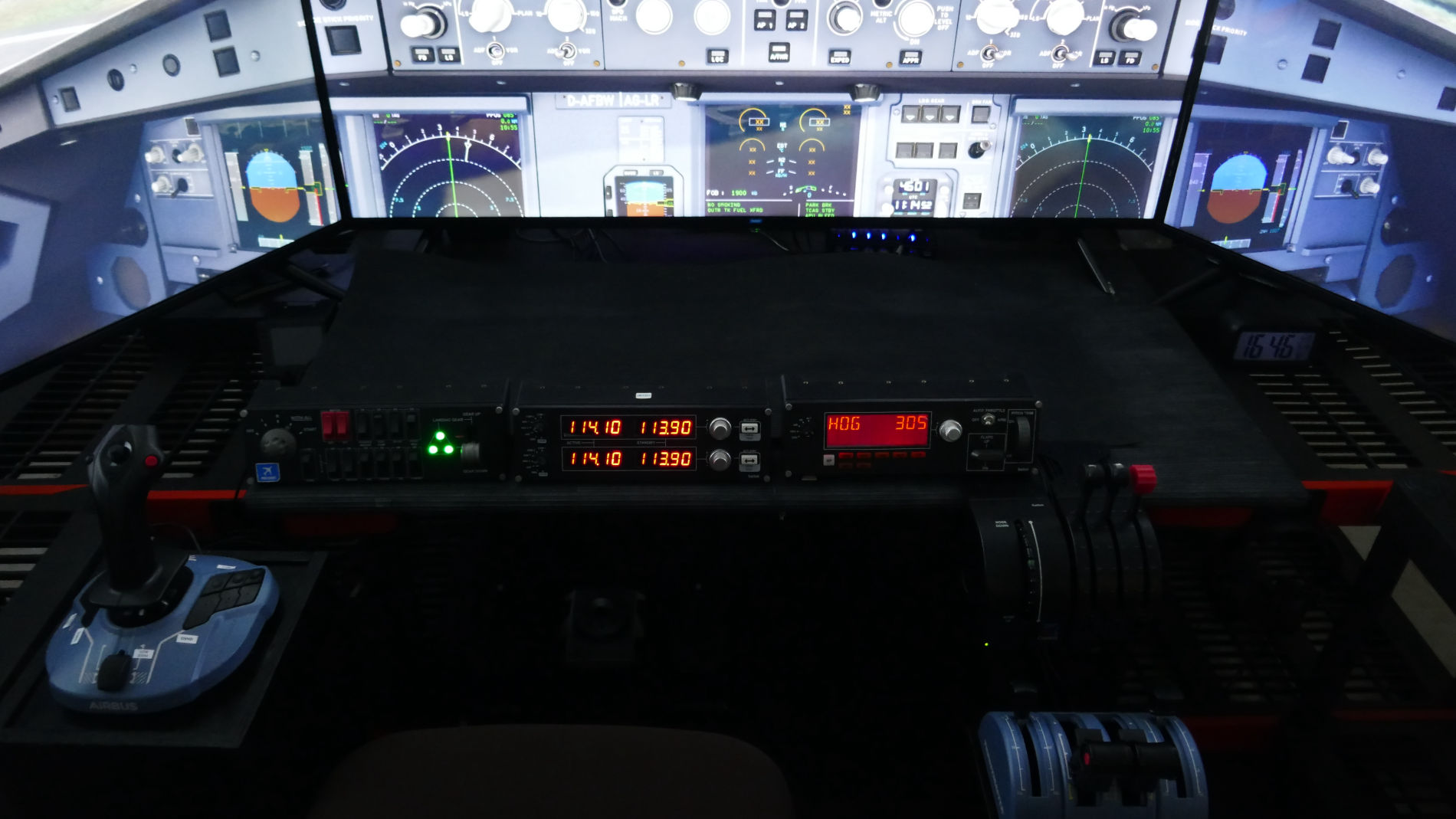
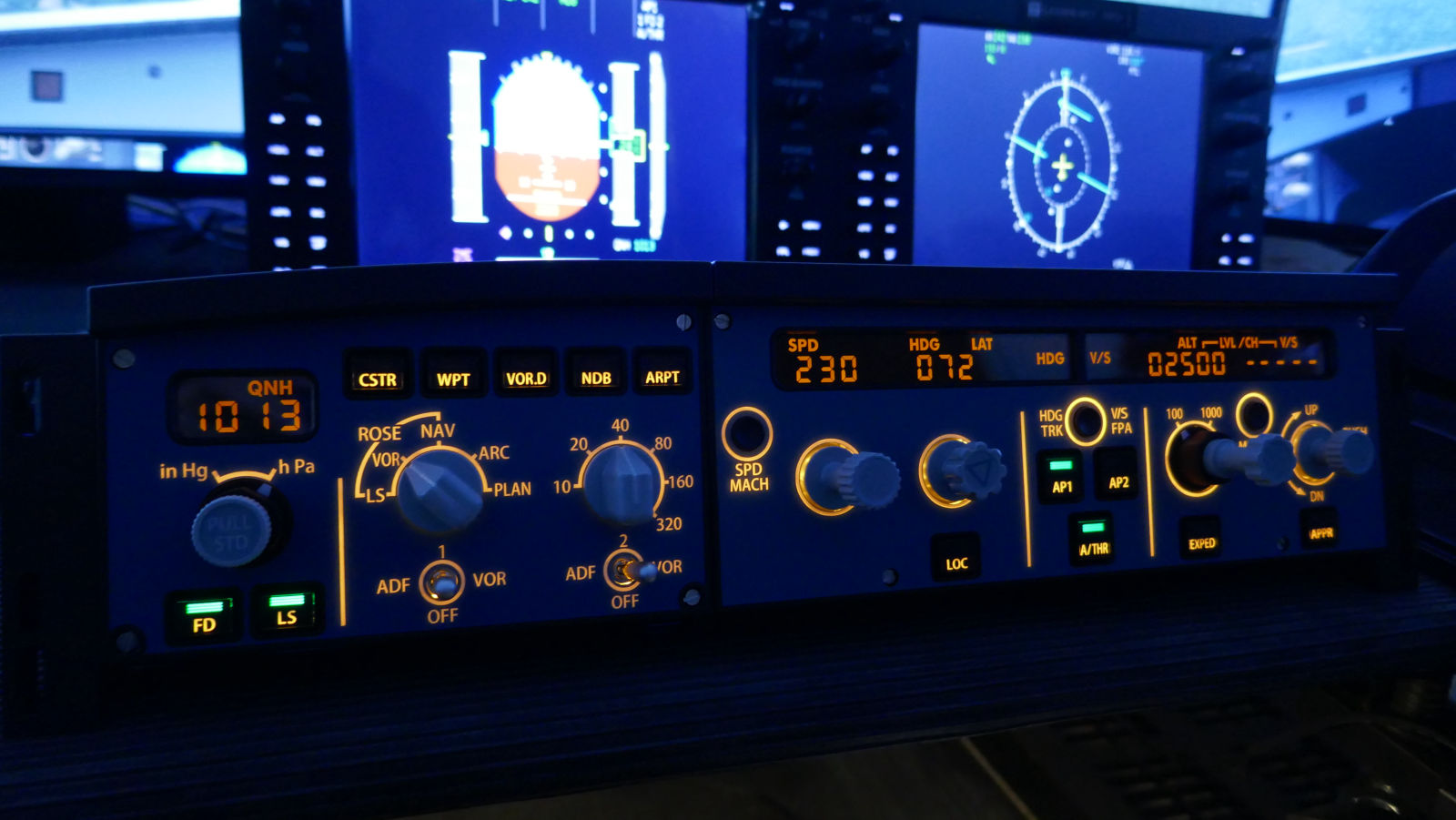
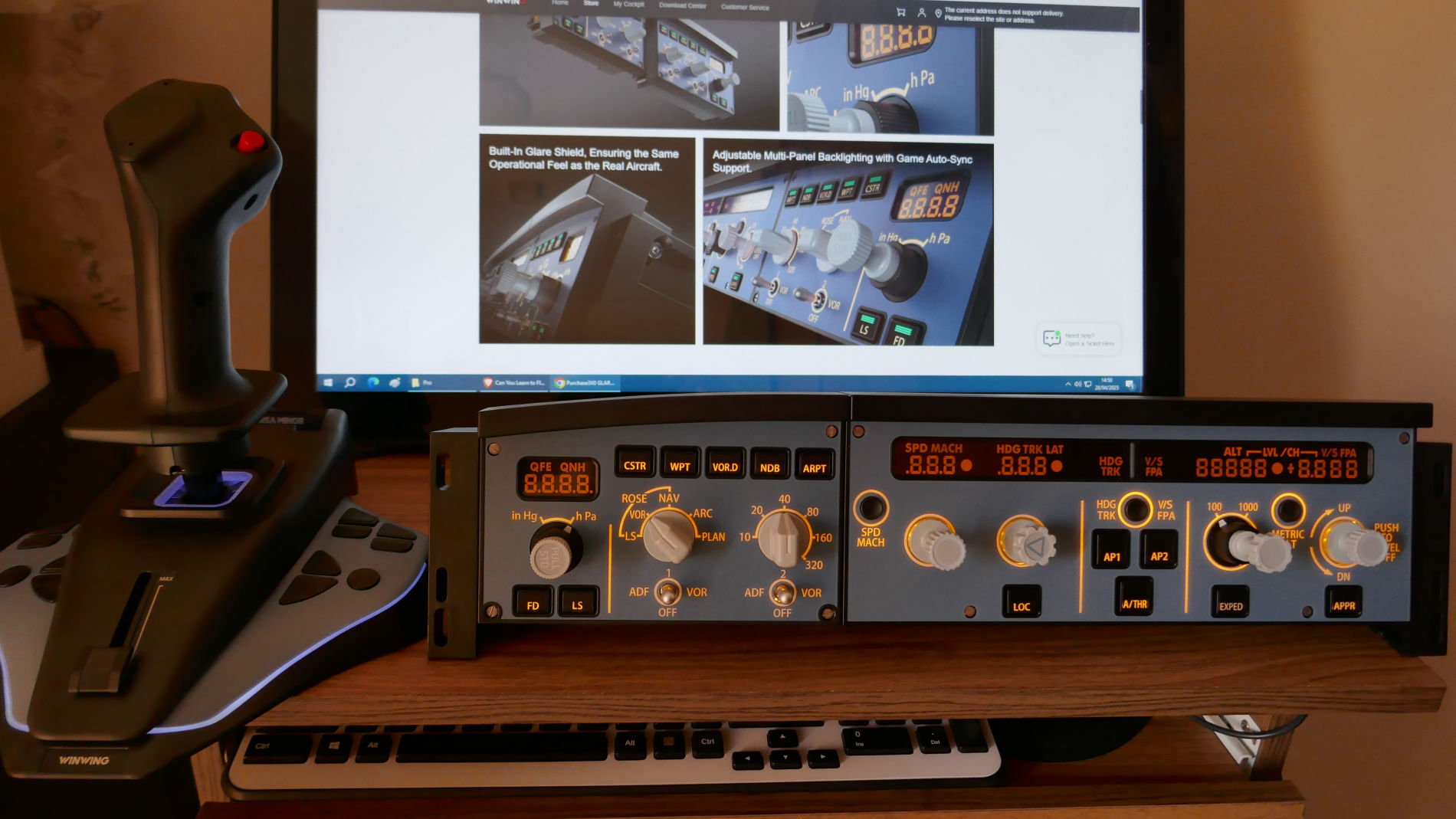
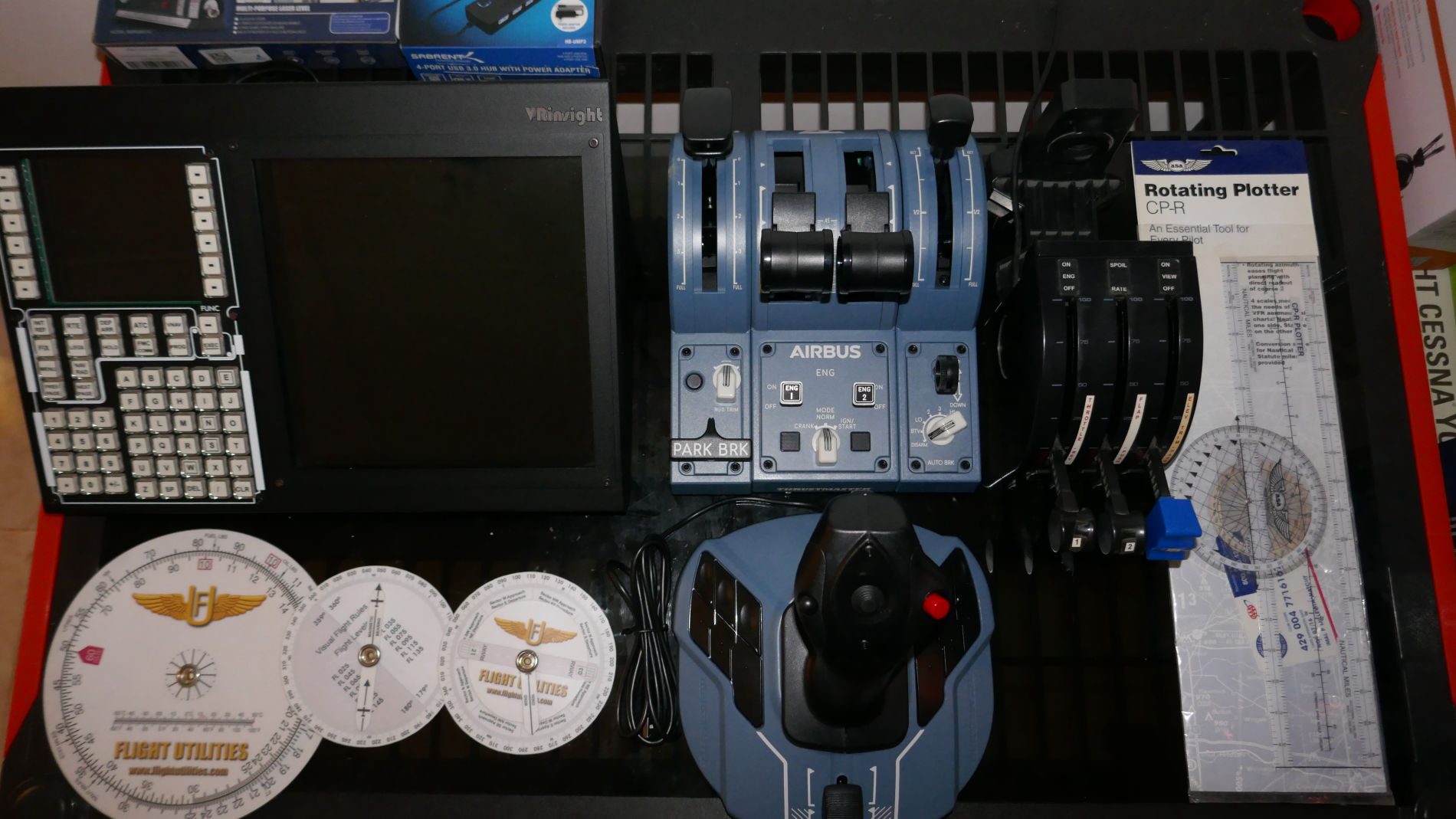
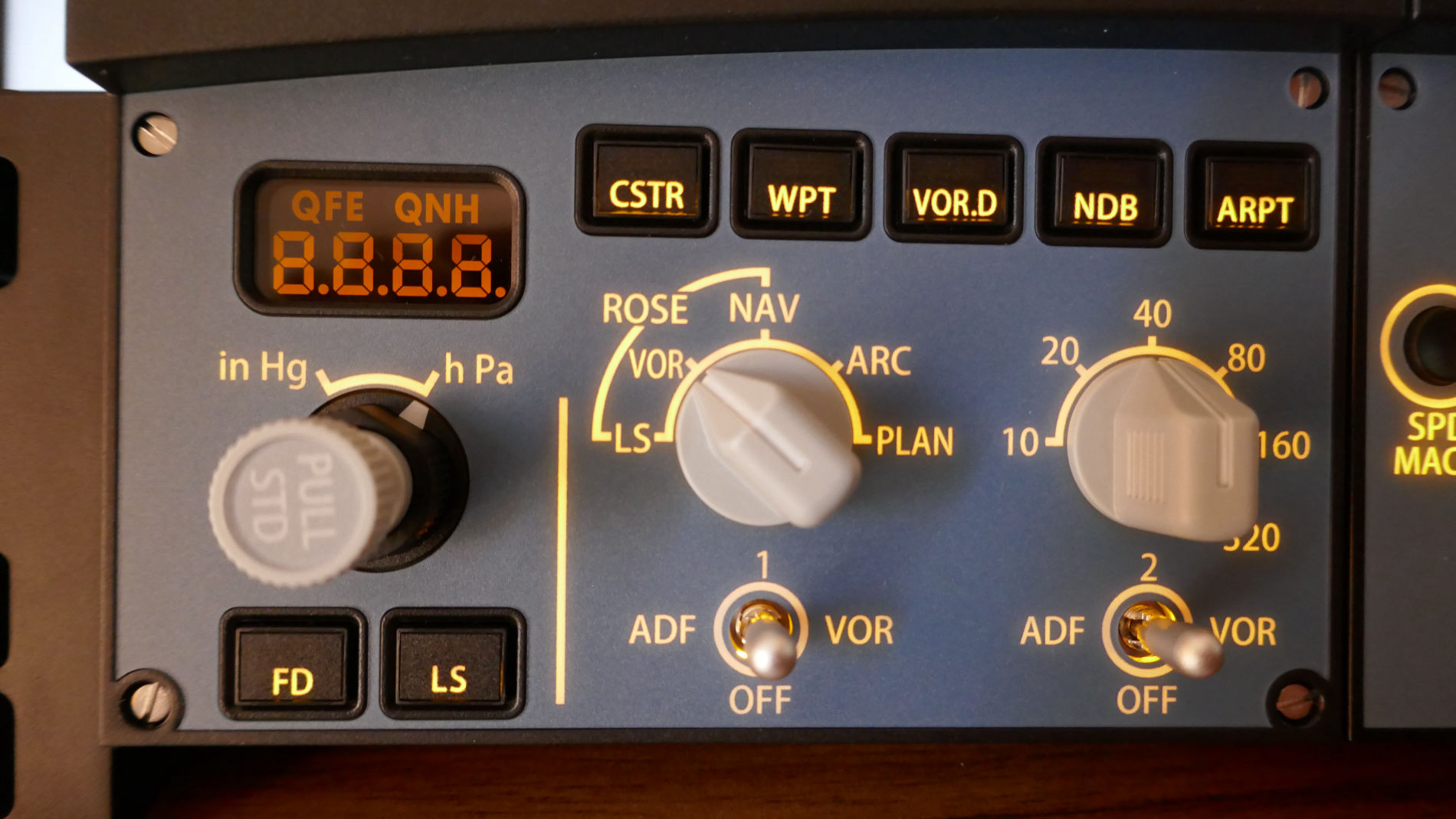
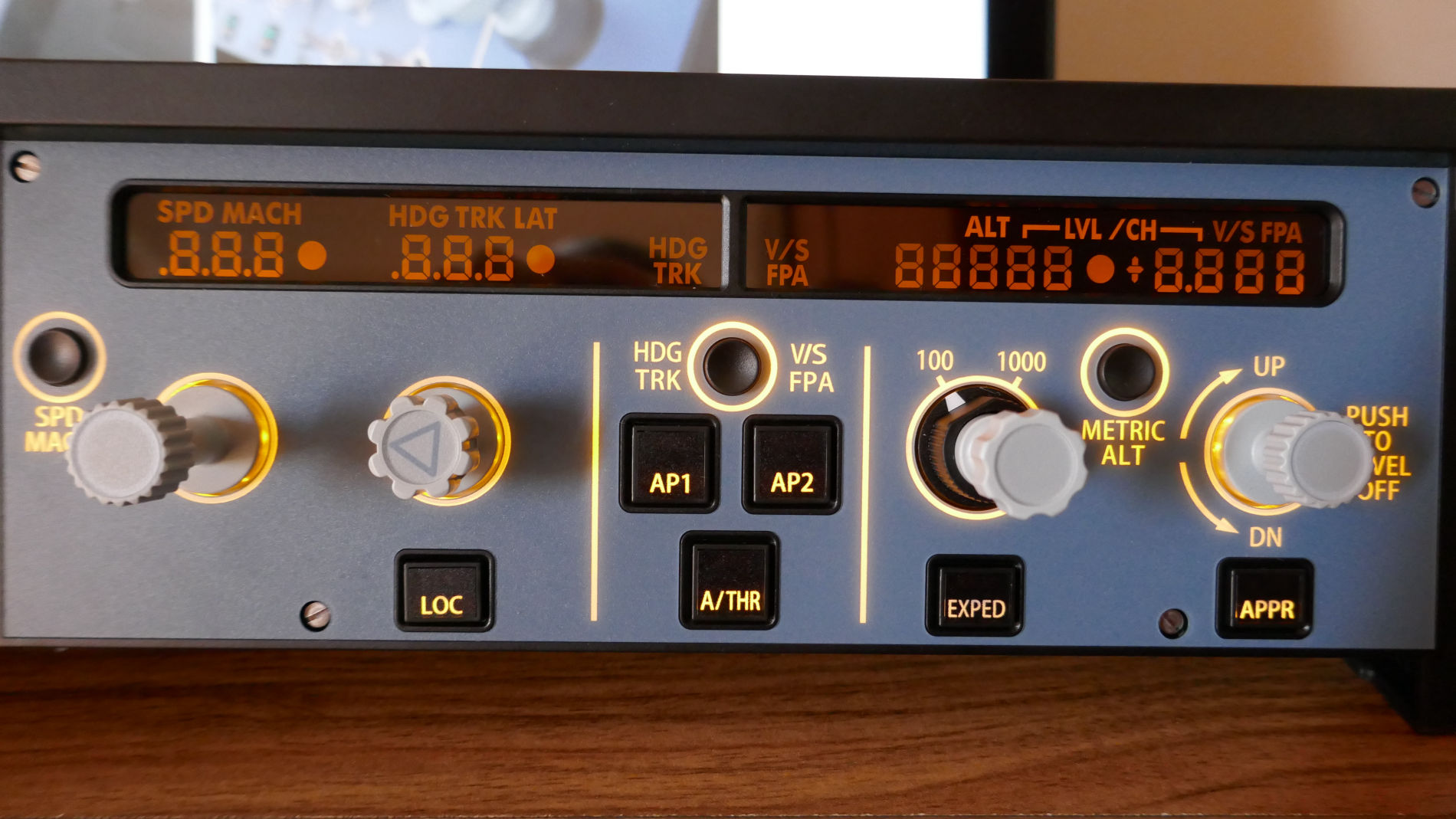
Hardware Airbus controls+FCU & EFIS panels, Airliner FMS control with MFD, VHF/HF real time Airband communication reception, Systems Indicator Panel, Landing Gear operation, Rudder Pedals with differential Brake System, etc.

MST


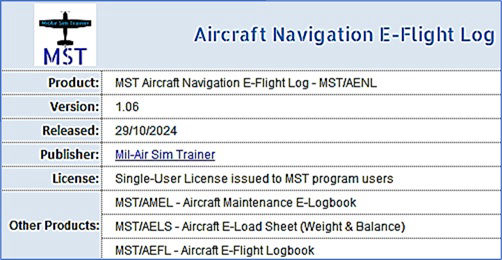
Electronic-Logbook                          AENL AMEL AELS AEFL


Aircraft Flight Logbook training
Aircraft Navigation Logbook training
Aircraft Maintenance Logbook training
Aircraft Load Sheet (Weight & Balance) training

MST


Intelligent, AI Instructor 


FSFS FSIA

As per your training requirements MST has an intelligent, talking AI instructor in any flight, anywhere, in hundreds of Flight Simulator's popular aircraft. Get your flying assisted and graded in over 70 flight parameters, and evaluated with fully logged results, and reports of achievements and problems.

Team of AI instructors
A virtual instructor that monitors your performances and explains as you fly, anywhere in the world.
Flight Evaluation
Scoring system rates all phases of flight: taxi, take off, cruise, approach, landing & more. Flight scores are tracked in detail in your own 'ePilot Logbook'.
Flight Maps
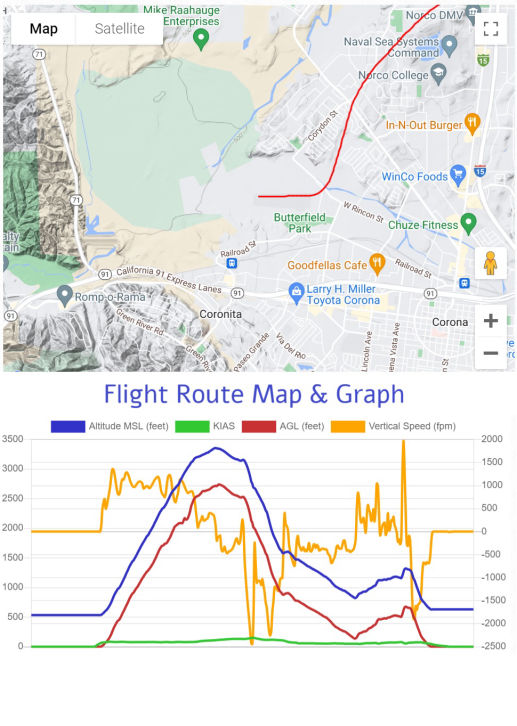
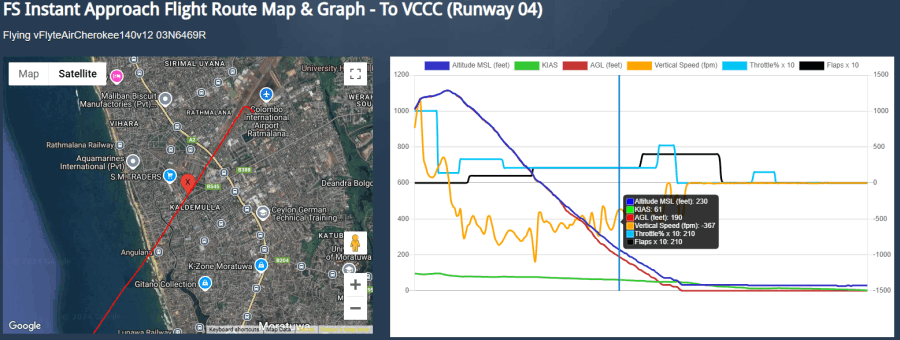
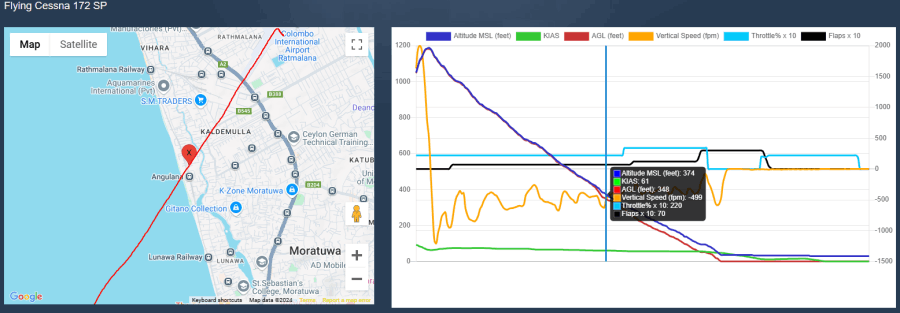
Your actual flight path & data recorded in maps and saved online. You can independently access your progress online to evaluate & share.
Airmanship Challenges
Instantly test your finest airmanship skills during any flight.
Instant Help
Optional 'Instant Help' spoken by the instructor when a control, switch or instrument is used, and especially during emergencies.
Autopilot Tutor
Get help with the aircraft Autopilot assistance if and when required. 

MST FAQ

To begin a career as a professional pilot, here’s who can benefit from MST.

- Aviation enthusiasts driven by a passion for flying...
- Beginners unsure where to start with simulator flying...
- Those aspiring to fly like real-world pilots...
- Learners who want to master or refresh the fundamentals of proper flying techniques...
- Anyone eager to learn to fly seriously but constrained by financial limitations at this stage...
- Individuals looking to discover countless tips and tricks to elevate their flying skills to a professional standard...


Sim training is ideal for:

• Student pilots (pre-private pilot) who want to enhance theory/ground learning and review specific concepts and skills.
• Certificated pilots hoping to complement their real-world flying with additional hours in the virtual skies, upgrade their navigation skills and learn about advanced aircraft and procedures.
• Instrument rating students looking for ways to add interactivity to their IFR theory studies, want to preview lessons, and refine specific IFR flying skills, such as the use of advanced avionics and instruments (e.g. HSI, RMI, PFD, ND, ECAM, EFB etc.).
• Flight instructors looking for new teaching tools for ground school classes, and pre / post-flight briefings.
• Virtual aviators (Flight Simulator hobbyists) who want to learn more about real-world flying to enhance their enjoyment of virtual aviation.
• Potential students who want to prepare themselves with detailed knowledge before they begin formal flight training.
• Educators using Flight Simulator in the classroom to complement aviation-related lessons or programs.

Real-world flight training can often be slow-paced and costly. Whether you're a student pilot or a seasoned aviator, each hour in the air comes with significant expenses and limited flexibility. With flight simulation, however, the control is entirely in your hands. Set yourself up once and practice as often and as long as you wish—on your terms. Let MST guide you seamlessly into the exciting world of Sim Flying.

Sim Training offers the opportunity to experience day and night flying, cross-country navigation, and training in all weather conditions. It covers a wide range of flight navigation requirements and various maneuvers. Student pilots often spend hours in navigation simulators to develop the essential skills and confidence needed for real-world flying. These capabilities can be further enhanced with the Sim Trainer, giving you the chance to test your knowledge, practice key skills, and simulate real aircraft operations. Plan your flights, interact with ATC, perform maneuvers, and follow all expected procedures—just as you would in an actual flight.

Sim Training courses are tailored to meet your individual needs, with no age restrictions. One of the greatest advantages is the ability to safely make and learn from mistakes in the Sim Trainer before stepping into a real aircraft. The Sim Trainer is designed to challenge you with a wide array of scenarios, including severe weather conditions, instrument malfunctions, aircraft defects, and more.

MST is designed combining Inspirational approach, Comprehensive coverage, Time-efficient learning, Engaging content, Interactive learning, and Practical insights - targeting latest aviation trends.

Private Pilot Familiarization | Instrument Flying Familiarization | MST Reference Documents |

Solo-flight: Once you are confident that you are familiar with the aircraft and can handle it independently, you will be prepared for your solo flight. This usually consists of a few take-offs and landings in the airport traffic pattern.
Aerial maneuvers: After your initial solo flight, you will progress to practice aerial maneuvers on your own within close proximity to the airport where you will be training at.
Cross-country navigation: After your first few flights, training moves onto cross-country navigation. You learn various elements of flight planning and navigation by reference to checkpoints on the ground. You will go on several cross-country flights to help hone these skills.
Cross-country flight: When you are confident of operating the aircraft, you will conduct cross-country flights. You may continue cross-country navigation flights to build the full confidence in your abilities.
Emergency procedures: As part of the training, you will also learn emergency procedures like engine failures, loss of radio communications, and inadvertent flight into poor weather or clouds.
Night-flying: Night flying training required by the student will involve additional flying hours with takeoffs, landings, and cross-country flying at dusk, and flying by sole reference to your instruments.

- General aviation aircraft with single/twin piston engines.
- General aviation aircraft with single/twin turbine engines.
- Airbus A320 series.
- Advance aircraft theoretical knowledge.


Begin your journey with any GA training aircraft in the world—and master the basics of flying with ease before advancing to multi-engine aircraft. Flight simulators are not only incredibly fun but also an effective way to learn.

Do you dream of learning to fly but feel limited by time, money, age, or medical restrictions? MST programs are crafted to teach you everything you need to know, so you can decide whether to invest in a flying school or simply enjoy the thrilling experience of realistic flight simulation. With MST, you can explore the skies and visit any destination in the world—all from the comfort of a simulator.

Take the leap and do something extraordinary. With MST, you can even pilot aircraft that might be out of reach in real life due to financial or opportunity constraints.

Let us know your requirements, and we can prepare the Sim Training program accordingly.

You have admission to a library of... 
1) Aeronautical books - CAASL, FAA, JAA, EASA, ATP, AIP, etc.
2) Periodicals and publications
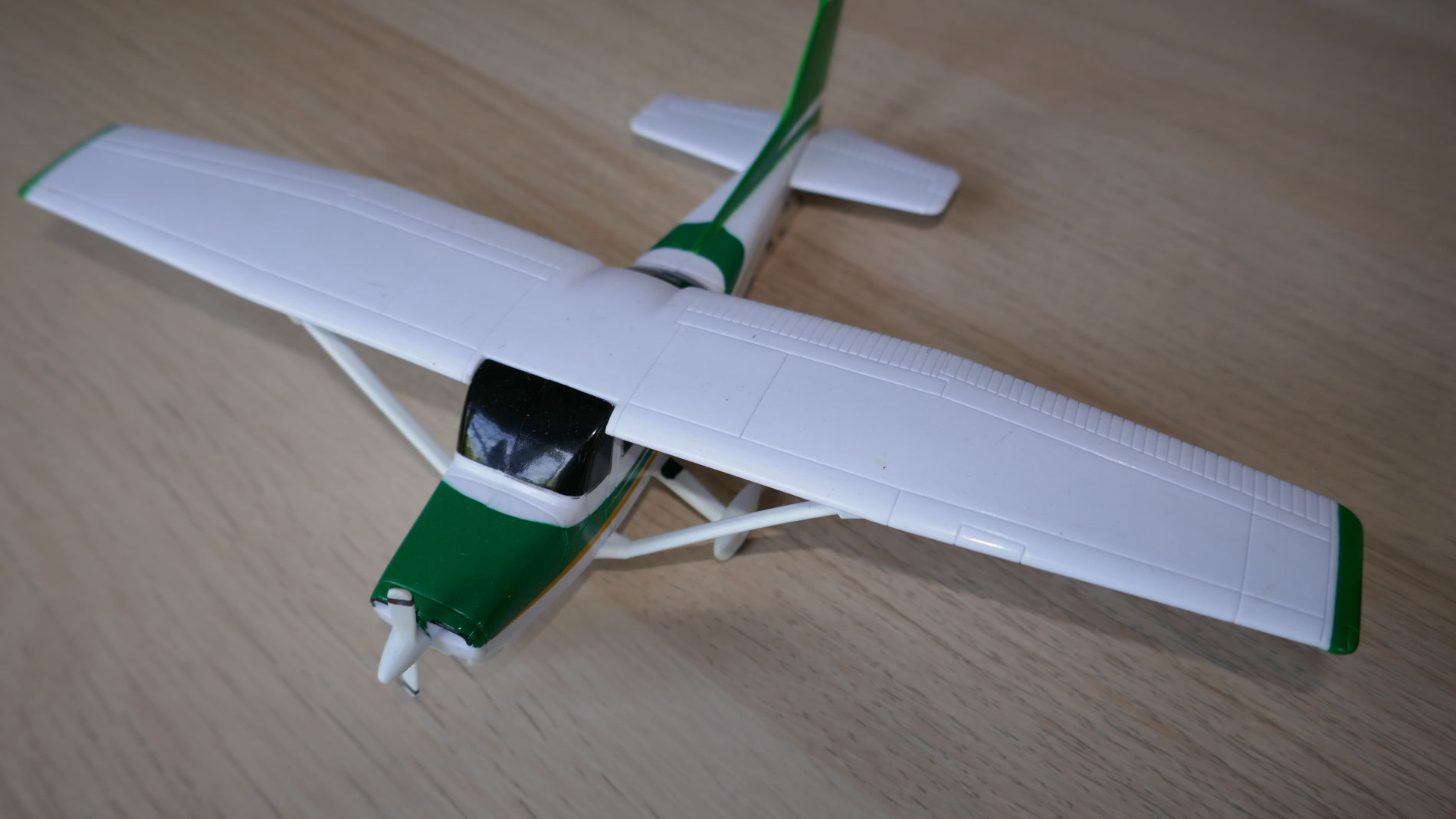
3) GA aircraft (C152/172, PA-28/38, etc.) & A320 aircraft training programs
4) GA aircraft & A320/B737 aircraft training videos
All resources are aimed to facilitate clear and correct decision making towards your aviation endeavors.
Aircraft systems: The basic structure of an airplane, engine, flight controls, instruments, and how they operate.
Aerodynamics: Basic principles of how an airplane is able to leave the ground, and how to control it once airborne.
Meteorology: Basic concepts of weather formation and how to obtain and interpret weather information that may affect your aircraft and flight.
Radio Telephony: The know-how of communicating with various air traffic control centers such as airport towers and radar centers, right from start-up, through the controlled air space. Further, simulation of these procedures is also provided, including Vatsim online flying.
Aircraft operations: Rules governing the operation of an aircraft in the Airspace System.

| Private Pilot Familiarization | Instrument Flying Familiarization | MST Reference Documents |

In-depth familiarization of aircraft Design, Engineering and Maintenance procedures are available to make you a total aviation person.

Aircraft Airframe Systems
• Aerodynamics, Aircraft Assembly, and Rigging
• Advanced Composite Materials
• Aircraft Electrical System
• Aircraft Instrument
• Communication and Navigation
• Hydraulic and Pneumatic
• Aircraft Landing System
• Aircraft Fuel System
• Ice and Rain Protection
• Cabin Environmental
• Airframe Fire Protection Systems

Aircraft Engine Systems
• Engine Fuel and Fuel Metering Systems
• Induction and Exhaust Systems
• Engine Ignition and Electrical Systems
• Engine Starting Systems
• Lubrication and Cooling Systems
• Propellers
• Engine Fire Protection Systems
• Engine Maintenance and Operation
• Light-Sport Aircraft Engines

Aviation Maintenance
• Safety, Ground Operations, & Servicing
• Regulations, Maintenance Forms, Records, & Publications
• Mathematics & Physics in Aviation Maintenance
• Aircraft Drawings
• Aircraft Weight & Balance
• Aircraft Materials, Hardware, & Processes
• Cleaning & Corrosion Control
• Inspection Concepts & Techniques
• Fundamentals of Electricity & Electronics
• Human Factors 

Range of MST Reference Documents are available at MST office, for your understanding of Aviation References, Codes, Standards, Specifications, Guidelines, Policies, Bulletins, etc.
• Sim Training Workbook
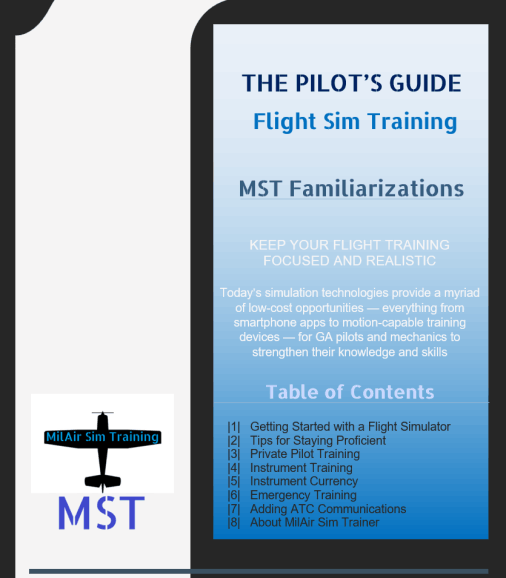
• The Pilots Guide to Flight Simulators
• Scenario-based Flight Familiarization Training
• Student Pilot's Flight Manual - From First Flight to Private Certificate
• Instrument Flying Handbook
• Instrument Procedures Handbook
• Introduction to Navigation Charts
• Radio Navigation
• Airman Knowledge Guide
• Aviation Maintenance Handbook - Airframe
• Aviation Maintenance Handbook - Engine
• Private Pilot Ground School
• English for Aviation
• Written and Oral Exam Guides
• A320, A330, A350 - SOP, Flight operations manuals, System manuals etc.
• B787, B777, B747 - SOP, Flight operations manuals, System manuals etc.
• VFR Scenarios
• IFR Scenarios


Duration - Depends on your training requirement. Calculated in Sessions. Minimum one hour session, then hourly basis.

Cost - Depends on your familiarization training requirements. Please note that MST system can be configured as a basic GA training aircraft (Ex. C152/172, PA-28/38, etc.), or right up to the latest jet transport aircraft (Ex. A320/B737, etc.) Contact for special introductory rates.

Availability - Weekdays and Weekends, by prior appointment only.

LEARN FASTER AND SPEED UP YOUR TRAINING
Short, engaging MST modules break down complex topics into plain English, so you'll absorb more info faster, progress through your training quicker, save money and accomplish your goals sooner. We understand the struggles and hardships of students. When you attend MST, a clear understanding of flight training concepts allows you to learn at your own pace, without any restrictions on outside weather or aircraft availability. Further, it provides a solid knowledge base, before you arrive at flight school.

MST UNIQUE SYSTEM
This sim-based system is tailor-made to guide students like you through the process of becoming a pilot, or obtaining your next rating. You’ll learn easier and better when you grasp the basics first. Within a friendly atmosphere, like minded MST team is always ready to discuss with you, and come up with best possible path to realize your aviation ambitions. Above all, this saves you time and money on your path to an airline pilot career.

The aircraft, airline & program names as well as any related names, signs, emblems, and images are registered trademarks of their respective owners. MST is not affiliated with any brand. The MST information is for educational, familiarization and entertainment purpose only, and should not be interpreted as actual in aircraft flight training.
Site information and simulator setups may differ from the latest available products due to continuous program improvements and hardware upgrades, and depend on the options selected. All photos, diagrams and documents available in MST website are strictly nonbinding.

Contact MilAir Sim Training

In real-world flight training, you are limited to using the same plane, same range of weight and balance, and same airport and practice areas. It takes a lot of creativity to get the students out of their ruts. However, in the MST simulator, a whole world is available to you, and we can incorporate training exercises with a myriad of variables. Contact us for your familiarization & recurrent training requirements. 
Phone/WhatsApp

+94 710 974 747

Write to MST Team

Do you know the difference between a lecture and a briefing? And does it matter?
Tell you and you will forget.
Show you and you will remember.
Involve you and you will understand.
Once upon a time, students looking for a flight school went to the nearest airport. Flight school just needed to be there, and after a quick sales pitch they’d have you signed up for an intro flight.
Today, that approach doesn’t work. Students are still starting flight training but the way they research, find and choose a carrier in aviation has changed.

If you have a query please use this form. MST is ready to help you to find answers to your questions.

Get Latest MST Updates!
In aviation, there is no problem so great or so complex that it cannot be blamed on the pilot.
Subscribe to 'MST News Letter' to find out latest developments in aviation.

If you don't think you're the best pilot in the business, MAYBE you're in the wrong business.
& if you think you could never make a mistake, you are REALLY in the wrong business.


MST © Copyright 2024-2026